

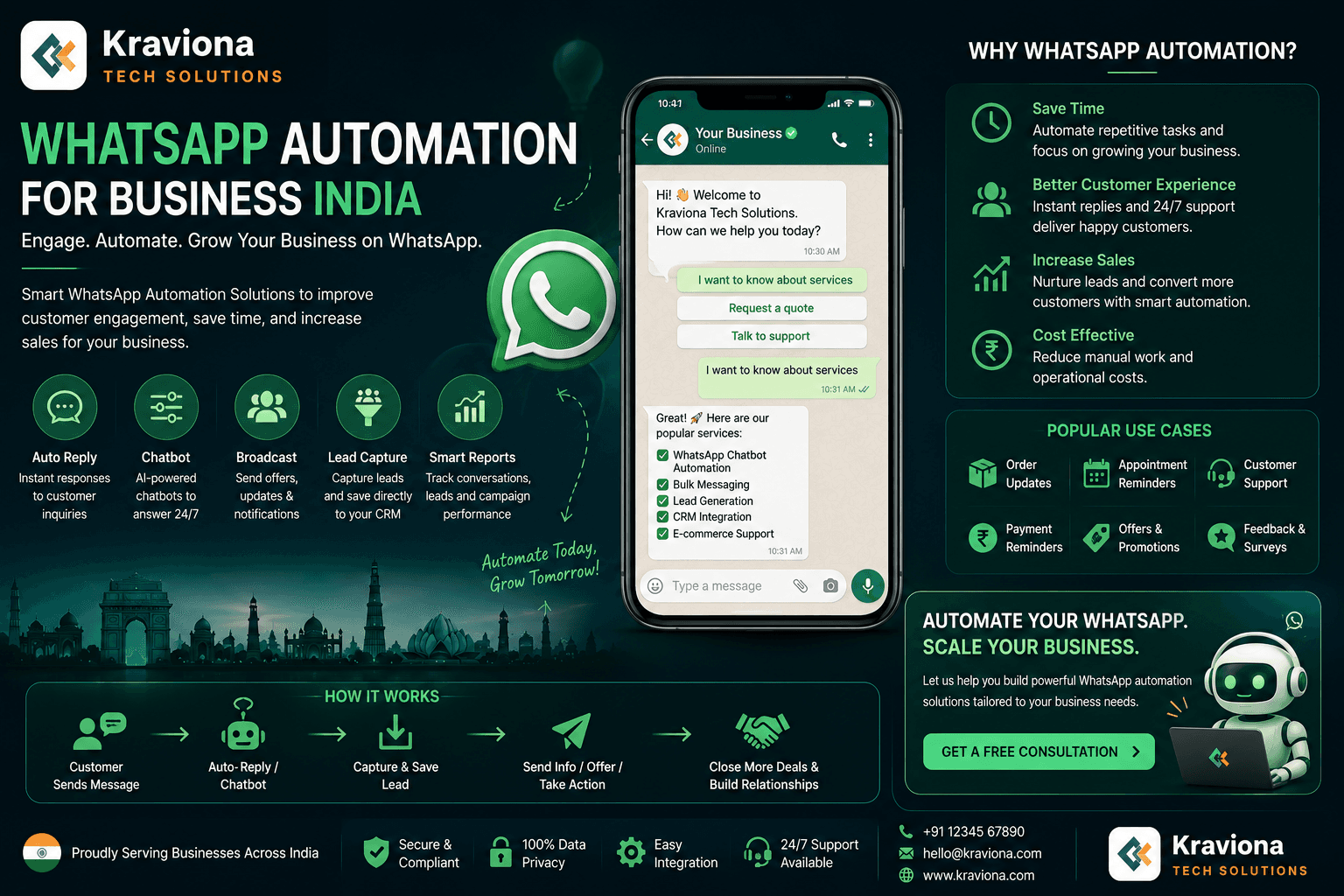
WhatsApp automation for business India is how smart companies in Delhi, Mumbai, and Bangalore are handling thousands of customer conversations without adding headcount. This guide covers the real setu…
WhatsApp automation for business India is not a trend. It is what separates businesses that scale from ones that stay stuck managing conversations manually. With over 500 million WhatsApp users in India, your customers are already on the platform. The real question is whether your business is responding intelligently or just reacting slowly.
Think about the typical small or mid-size business in Delhi, Pune, or Hyderabad. The sales team is on calls. The support person is buried in the same repetitive questions. And leads from the website sit unanswered for three to four hours because nobody saw them come in. That is the problem WhatsApp automation solves directly.
This guide covers exactly how WhatsApp automation works for Indian businesses, what tools to use, how to connect it with Razorpay and Zoho, what it actually costs, and what results you should realistically expect. No fluff. Just the practical setup.
Why WhatsApp Automation Makes Sense for Indian Businesses
India runs on WhatsApp. It is the first app customers open in the morning. They use it to ask for quotations, share screenshots of orders, request callbacks, and yes, complain when something goes wrong. Email open rates in India hover around 15 to 20 percent. WhatsApp open rates sit above 90 percent. That gap alone tells you where your automation investment should go.
Businesses that have explored AI tools for small business already understand this shift. WhatsApp automation is not just about sending bulk messages. It is about building intelligent, rule-based workflows that handle entire customer journeys without you lifting a finger.
The Volume Problem Indian Businesses Face
A real estate developer in Gurugram gets 300 inquiries a week on WhatsApp. A single sales executive can realistically handle 40 to 50 conversations a day with any quality. The math does not work. Automation plugs that gap by qualifying leads automatically, sending project brochures, and scheduling site visits without a human in the loop for the first three to four touchpoints.
WhatsApp vs Email vs SMS for Indian Audiences
Indian customers respond 4 to 6 times faster on WhatsApp than email. SMS has high delivery but almost no interactivity. WhatsApp gives you two-way conversation, rich media (images, PDFs, videos), and the familiarity factor. For a business in Jaipur running an e-commerce store or a coaching institute in Bangalore, that combination is difficult to replicate elsewhere.
Why Automation Beats a Larger Team
Hiring for scale is expensive and slow in India. A decent customer support executive costs Rs 20,000 to 35,000 per month in metro cities. WhatsApp automation costs a fraction of that and works 24 hours a day, seven days a week. For understanding what AI automation actually does for a business, WhatsApp is one of the clearest and most immediate examples available.
How WhatsApp Business API Works in India
There are two versions of WhatsApp for business. The WhatsApp Business App is the free one you probably already have on your phone. It is fine for very small operations but has hard limits: one user, no API access, no automation beyond basic quick replies. The WhatsApp Business API is what you need for real automation.
Meta-Approved Business Solution Providers (BSPs)
You cannot access the WhatsApp Business API directly unless you are a large enterprise. Most Indian businesses go through BSPs (Business Solution Providers) that Meta has approved. The popular ones in India are Interakt, AiSensy, Wati, Zoko, and Gupshup. Each has its own pricing model, feature set, and integration capabilities. Interakt and AiSensy are particularly popular with Shopify and WooCommerce stores in India.
Template Messages vs Session Messages
WhatsApp enforces a strict messaging model. Template messages (called HSMs) are pre-approved by Meta and can be sent to anyone who has opted in. These are used for order confirmations, shipping updates, appointment reminders, and payment links. Session messages are free-form replies you can send within a 24-hour window after a customer has messaged you first. Understanding this distinction matters because it directly affects your automation design and cost.
Getting Your Number Approved
Setting up the API requires a Facebook Business Manager account, a verified business, and a dedicated phone number that has never been used on any WhatsApp account before. Approval typically takes two to five business days in India. Some BSPs like Interakt make this process faster by handling the verification on your behalf.
WhatsApp Automation Use Cases for Indian Businesses
This is where it gets specific. Generic advice about automation is useless. What Indian businesses actually need to automate depends on their industry. Here are the use cases that deliver the clearest ROI.
E-Commerce: Abandoned Cart Recovery and Order Updates
An e-commerce business in Mumbai running on Shopify or WooCommerce can trigger a WhatsApp message automatically when a customer adds items to cart but does not complete payment. A well-timed message with the cart link and a Razorpay payment link recovers 25 to 45 percent of abandoned carts in tested Indian setups. Compare that to abandoned cart emails which recover 5 to 8 percent at best. Order confirmation, shipping updates, and delivery confirmations can all be automated through the same flow.
Real Estate: Lead Qualification and Follow-Up
Real estate is one of the highest-volume WhatsApp use cases in India. A developer in Noida or Hyderabad gets leads from housing.com, 99acres, and their own website. Instead of a salesperson calling each one, an automated WhatsApp flow qualifies the lead: budget, location preference, whether they are ready to visit. Only interested, qualified leads get forwarded to a human. This is a direct application of the kind of n8n-based workflow automation that serious businesses in India are now building.
Education and Coaching: Enrollment and Reminder Flows
Coaching institutes and ed-tech companies in Bangalore, Chennai, and Delhi use WhatsApp automation for lead nurturing sequences, fee reminder messages, class schedule updates, and homework submission confirmations. When integrated with payment gateways like Razorpay, the system can detect a completed fee payment and automatically send enrollment confirmation, welcome kit links, and class schedule PDFs without human involvement.
Healthcare: Appointment Booking and Reminders
Clinics and diagnostic centers across India lose significant revenue to no-shows. Automated WhatsApp reminders sent 24 hours and 2 hours before an appointment reduce no-shows by 35 to 50 percent in real deployments. Patients can also confirm, cancel, or reschedule directly within the WhatsApp conversation.
Integrating WhatsApp Automation with Indian Business Tools
WhatsApp automation does not work in isolation. The real power comes from connecting it to the tools your business already uses. Here is how the key integrations work for Indian businesses.
Razorpay Integration
Razorpay is the payment gateway most Indian e-commerce and service businesses use. When you connect Razorpay with your WhatsApp automation system, payment events become triggers. A successful payment triggers an order confirmation message. A failed payment triggers a gentle follow-up with a fresh payment link. An invoice raised in Razorpay can automatically be sent as a WhatsApp message to the customer. This removes the manual step that most businesses still depend on.
Zoho CRM Integration
Zoho is widely used by Indian B2B businesses. Connecting Zoho CRM to WhatsApp automation means that when a new lead comes in, an automated WhatsApp message goes out within seconds. When a deal moves to a new stage, a follow-up message goes out. When a support ticket is resolved, a satisfaction survey gets sent on WhatsApp. The combination turns your CRM from a passive database into an active communication system.
n8n and Custom Workflow Builders
For businesses that need more control than off-the-shelf BSP integrations offer, building workflows in n8n gives you the flexibility to connect WhatsApp with any system: Tally for accounting, custom databases, Google Sheets for tracking, or internal ERP tools. This is particularly relevant for manufacturers in Pune or logistics companies in Chennai that have unique operational workflows. If you want to understand the depth of what is possible here, the breakdown of AI workflow automation for businesses covers the principles behind these kinds of setups.
Industry-wise WhatsApp Automation Impact
| Industry | Primary Use Case | Key Integration | Typical Result |
|---|---|---|---|
| E-Commerce | Abandoned cart recovery, order updates | Razorpay, Shopify | 25-45% cart recovery |
| Real Estate | Lead qualification, site visit booking | Zoho CRM, 99acres API | 3x more qualified leads handled |
| Education | Enrollment, fee reminders, schedules | Razorpay, Google Sheets | 60% fewer payment delays |
| Healthcare | Appointment reminders, lab reports | Clinic management systems | 35-50% fewer no-shows |
| B2B / SaaS | Trial onboarding, renewal reminders | Zoho CRM, Razorpay | 40% better renewal rates |
| Logistics | Delivery tracking, POD confirmation | ERP, custom tracking APIs | 70% fewer status call queries |
How to Set Up WhatsApp Automation for Your Business: Step by Step
This is the practical section. Not the theory. Here is the actual sequence for getting WhatsApp automation running for an Indian business.
Step 1: Create a Facebook Business Manager Account
Go to business.facebook.com and create an account for your business. Verify your business with a PAN card or GST registration document. This is mandatory for WhatsApp Business API access.
Step 2: Choose a BSP That Fits Your Business
For e-commerce on Shopify, Interakt or AiSensy are strong choices. For B2B businesses using Zoho, Wati has better native integrations. For fully custom setups with n8n or a MERN stack application, you will need a BSP that gives you raw API access like 360dialog or Gupshup. Pick based on your integration needs, not just pricing.
Step 3: Get a Fresh Phone Number
You need a phone number that has never been registered on WhatsApp. A new SIM or a virtual number works. Port it through your BSP. Do not try to use your existing WhatsApp Business number — it will not transfer cleanly.
Step 4: Create and Submit Message Templates
Write your HSM templates. Order confirmation, payment link, appointment reminder, lead qualification greeting. Submit them for Meta approval. Approval takes 24 to 72 hours. Plan your templates carefully because changes require resubmission.
Step 5: Build Your Automation Flows
Map out your customer journey first. What triggers the first message? What happens if there is no response in 24 hours? What path does a qualified lead follow vs an unqualified one? Build these flows in your BSP dashboard or in n8n if you need custom logic. Test every path before going live.
Step 6: Connect Your CRM and Payment Systems
Plug in Razorpay webhooks. Connect Zoho CRM. Set up the triggers so that business events automatically fire the right WhatsApp messages. This is the step most businesses underestimate. Test with real transactions before switching off manual processes.
Step 7: Monitor, Optimise, and Iterate
Track delivery rates, open rates, response rates, and conversion rates from each flow. WhatsApp automation is not a one-time setup. The businesses that get the best results spend the first 60 days iterating on message timing, copy, and flow logic based on real data.
Real Results: What Indian Businesses Are Actually Seeing
Let us get concrete. These are not aspirational case studies. These are the patterns that show up consistently across Indian businesses that have properly implemented WhatsApp automation.
Lead Response Time: Hours to Seconds
The average Indian business takes 3 to 5 hours to respond to a web lead. With WhatsApp automation, that drops to under 30 seconds. Studies consistently show that lead conversion rate drops sharply after the first 5 minutes. Businesses that automate this first response see 2 to 3 times more leads actually entering their sales pipeline.
Support Cost Reduction
A mid-size e-commerce company in Bangalore running 500 orders per day gets roughly 150 to 200 WhatsApp queries daily about order status, return process, and delivery timing. Automating answers to these repetitive questions reduces the actual support team workload by 60 to 70 percent. That is real cost reduction, not projected savings.
Payment Collection Improvement
For coaching institutes and service businesses in India, collecting fees on time is a persistent problem. Automated WhatsApp reminders sent 7 days, 3 days, and 1 day before a due date, followed by a payment link, consistently improve on-time payment rates by 40 to 60 percent compared to calling reminders or email alone.
This connects directly to what serious business owners understand about using AI tools for business operations: the compounding benefit comes not from one automation but from layering multiple intelligent touchpoints across the customer journey.
Myths and Common Mistakes with WhatsApp Automation in India
There is a lot of bad advice circulating about WhatsApp automation, especially in Indian digital marketing communities. Let us clear up the ones that cost businesses real money.
Myth 1: Bulk WhatsApp Software is Fine to Use
It is not. Tools that blast WhatsApp messages from your regular number without using the official API are against WhatsApp's terms of service. Meta permanently bans accounts that use them. Businesses in India have lost years-old WhatsApp numbers to these bans. Only use Meta-approved BSPs and the official API.
Myth 2: More Messages Means More Conversions
WhatsApp is not email. Customers who feel spammed on WhatsApp block your number. A blocked contact means a permanently dead lead. The businesses that win with WhatsApp automation send fewer, better-timed, more relevant messages. Quality and relevance beat volume every time.
Myth 3: A Chatbot Can Replace Human Sales
Automation handles the top of the funnel extremely well: qualification, information delivery, appointment booking. But a Rs 50 lakh real estate purchase or a complex B2B software contract requires a human conversation at some point. The right design hands off to a human sales person exactly when it matters. Trying to automate the entire sales cycle for high-ticket products almost always backfires.
Myth 4: Setup is a One-Time Job
Businesses that set up WhatsApp automation and walk away see it degrade over six to twelve months. Templates go stale. Flows break when third-party tools update their APIs. Customer behaviour changes. WhatsApp automation needs quarterly reviews and ongoing iteration, just like any other growth system in your business.
Mistake: Skipping the Opt-In Process
You can only legally send WhatsApp template messages to users who have explicitly opted in. Not capturing opt-ins properly means you either violate policy or cannot message customers at all. Make opt-in collection a formal step in your checkout, lead form, or appointment booking process.
Frequently Asked Questions
What is WhatsApp automation for business in India?
WhatsApp automation for business in India means using the WhatsApp Business API or third-party tools to send automated messages, handle customer queries, recover abandoned carts, send payment confirmations, and qualify leads without manual intervention. Indian businesses use it to scale communication with customers on a channel they already trust.
Is WhatsApp automation legal in India?
Yes, WhatsApp automation is legal in India when done through the official WhatsApp Business API. Bulk messaging via unofficial tools or third-party spamming violates WhatsApp's terms of service and can result in a permanent account ban. Always use Meta-approved Business Solution Providers (BSPs) like Interakt, AiSensy, or Wati.
How much does WhatsApp Business API cost in India?
WhatsApp Business API pricing in India works on a conversation-based model. Meta charges per 24-hour conversation window. As of 2026, marketing conversations cost roughly 0.58 to 0.78 INR each, while utility and service conversations are cheaper. BSPs like Interakt or AiSensy add a platform fee starting from around Rs 999 per month.
Can WhatsApp automation integrate with Razorpay and Zoho in India?
Yes. WhatsApp automation can be connected to Razorpay for payment link sending and confirmation triggers, and to Zoho CRM for lead capture, follow-up sequences, and deal stage updates. Tools like n8n, Zapier, or custom MERN stack integrations make these connections possible and reliable.
What results can Indian businesses expect from WhatsApp automation?
Indian businesses using WhatsApp automation typically see open rates above 90%, abandoned cart recovery rates of 25 to 45%, and significant reductions in support ticket volume. Lead response time drops from hours to seconds. Businesses in sectors like real estate, e-commerce, education, and healthcare see the biggest impact.
Getting WhatsApp Automation Right the First Time
WhatsApp automation for business India is one of the highest-ROI investments an Indian business can make right now. The channel is already there. Your customers are already on it. The only question is whether your business is using it intelligently or leaving money on the table with slow, manual responses.
The businesses in Delhi, Mumbai, Bangalore, and Hyderabad that are winning in 2026 are not bigger than their competitors. They are faster. They respond in seconds, qualify leads automatically, recover carts without manual intervention, and collect payments on time without chasing anyone. That speed comes from properly implemented WhatsApp automation connected to the tools they already use.
If you want to understand the broader picture of what AI workflow automation can do for your business operations, WhatsApp is an excellent starting point because the results are visible, measurable, and fast.
If you are ready to set up WhatsApp automation for your business, whether it is a simple lead qualification flow or a full multi-system integration with Razorpay, Zoho, or your custom ERP, reach out to the team at Kraviona Tech Solutions. We build these systems for Indian businesses and we know exactly where the complexity lies and how to avoid the mistakes that cost businesses months of wasted effort. Write to us at kravionatech@gmail.com and we will get back to you the same day.
Amar Kumar
July 18, 2026
Reader Response
What did you think?
Comments help us improve future articles.
3
0