

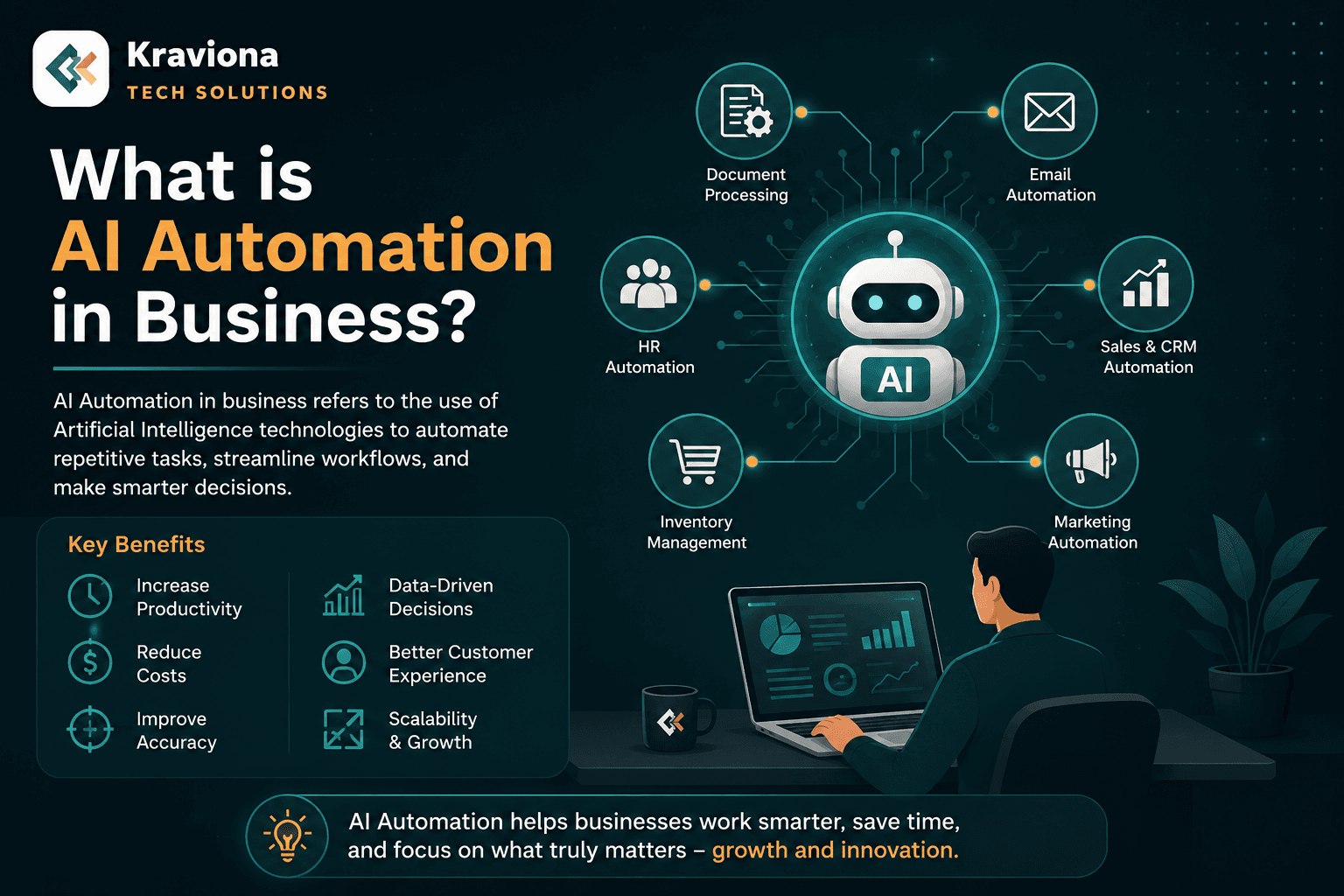
AI automation in business means using artificial intelligence to handle repetitive, judgment-intensive tasks — from customer support to sales to finance. Here is what it actually means in practice for…
Quick Answer
AI automation in business is the use of artificial intelligence technologies — including machine learning, natural language processing, and intelligent workflow tools — to perform tasks that previously required human time, repetition, or judgment. Unlike traditional rule-based automation, AI automation can handle variability, learn from data, and adapt to new inputs without being reprogrammed for every scenario.
Key Takeaways
- AI automation goes beyond rule-based tools — it learns from data and handles variability that traditional automation cannot
- The highest-ROI use cases in 2026 are customer support, lead management, content operations, and financial processing
- Starting with one narrow, measurable use case is more effective than trying to automate everything at once
- AI automation works best when the underlying process is documented and has clear success criteria
- Human oversight is still essential — AI automation needs exception handling and review layers
- Competitors are already adopting AI automation; the early-mover window is narrowing fast
Introduction
There is a moment every business owner eventually faces — you are doing the same task for the hundredth time, wondering why a machine cannot just handle this. In 2026, that machine exists, it is smarter than ever, and it is called AI automation. But beyond the buzzword, what does AI automation actually mean for a real business? What changes, what stays the same, and where do you even begin? This guide cuts through the noise and gives you a grounded, practical answer.
What is AI Automation in Business?
AI automation in business refers to using artificial intelligence to perform tasks that previously required human judgment, time, or repetitive effort. It goes beyond simple rule-based automation — instead of just following preset if-then logic, AI tools for small business and large enterprises alike can now learn from data, adapt to new inputs, and make decisions without being explicitly programmed for every scenario.
Think of traditional automation as a light switch — it does exactly what you tell it, nothing more. AI automation is closer to a smart thermostat — it learns your patterns, anticipates your needs, and adjusts on its own.
A Real Example:
A mid-sized e-commerce company used to spend 40 hours per week on customer support emails — answering shipping questions, processing return requests, and handling complaints. After implementing an AI automation layer trained on their past support tickets, that workload dropped to under 8 hours. The AI handled 80% of inquiries autonomously. The remaining 20% — complex or emotionally sensitive issues — were routed to a human agent with full context already summarized. Revenue stayed the same. Costs dropped significantly. Team morale improved because agents were no longer drowning in repetitive tickets.
That is AI automation working in practice.
How AI Automation is Different from Traditional Automation
This distinction matters because many businesses have already invested in automation tools — Zapier workflows, Excel macros, scheduled reports — and wonder whether AI automation is just a rebranding of the same concept.
It is not. Here is the core difference:
- Traditional automation follows fixed rules. If X happens, do Y. It breaks the moment something unexpected occurs outside its programmed parameters.
- AI automation uses machine learning, natural language processing, and pattern recognition to handle variability. It can interpret unstructured inputs — a customer email, a sales call transcript, a product image — and take appropriate action.
- Traditional automation requires a developer to update the rules every time the process changes.
- AI automation can often retrain itself or be fine-tuned with new examples rather than requiring complete reprogramming.
For businesses, this distinction translates directly into ROI. Traditional automation handles simple, structured, high-volume tasks. AI automation handles complex, semi-structured, judgment-intensive tasks — and that is where most of the real cost and time in a business actually lives.
Core Areas Where AI Automation is Transforming Business in 2026
1. Customer Support and Communication
This is the most mature and widely deployed use case. AI-powered chatbots and email response systems now handle first-line support across industries. But 2026 versions are significantly more capable than the frustrating bots of 2019 — they understand context, remember conversation history, detect emotional tone, and escalate appropriately. Tools like Claude, GPT-4o, and Gemini are being embedded directly into support pipelines via API, giving businesses custom AI agents trained on their specific product knowledge.
2. Sales and Lead Management
AI automation is changing how B2B sales teams operate. Instead of SDRs manually researching prospects, scoring leads by gut feel, and sending generic outreach, AI systems now enrich lead data automatically, score prospects based on behavioral signals, draft personalized outreach sequences, and flag which deals are at risk of churning based on engagement patterns. Using ChatGPT for business workflows like these has become standard practice for growth-stage companies.
3. Content and Marketing Operations
Marketing teams are using AI automation to handle the production layer of content — first drafts, meta descriptions, social post variations, A/B test copy — while human strategists focus on positioning, audience insight, and brand voice. AI does not replace creative strategy, but it removes the mechanical bottleneck that slowed output. For SEO-heavy businesses, AI automation helps with content briefs, internal linking suggestions, and SERP gap analysis at a scale that was previously impossible without a large team.
4. Finance and Operations
Invoice processing, expense categorization, financial reconciliation, and procurement approvals are all areas where AI automation is delivering measurable time savings. Systems trained on historical financial data can flag anomalies, predict cash flow shortfalls, and route approval workflows automatically — reducing month-end close times from days to hours in some organizations.
5. Data Analysis and Reporting
Perhaps the most underappreciated application — AI automation is eliminating the hours spent building weekly reports, pulling data from multiple sources, and writing performance summaries. Tools can now connect to your analytics stack, identify the most significant changes since the last reporting period, and generate a plain-English summary with recommendations. Your team reads insights instead of assembling spreadsheets.
What AI Automation is Not — Common Misconceptions
Before investing in AI automation, it is worth clearing up what it cannot do — because unrealistic expectations lead to failed implementations and wasted budget.
- It is not a silver bullet. AI automation works best on tasks with sufficient data, clear goals, and defined success criteria. Introducing it into a chaotic, undocumented process will automate the chaos, not fix it.
- It does not eliminate the need for human oversight. AI systems make mistakes — especially at the edges of their training data. Every business-critical automation needs a human review layer and clear exception handling.
- It is not free to implement. Integration, training, prompt engineering, and ongoing maintenance require investment. The ROI is real, but so is the upfront cost.
- It will not replace your team. In practice, businesses that implement AI automation well redeploy their people to higher-value work rather than reducing headcount. The companies treating AI as pure cost-cutting often see quality and morale problems follow.
How to Start Implementing AI Automation in Your Business
The most common mistake businesses make is trying to automate everything at once. The right approach is narrow, measurable, and iterative.
Step 1 — Audit Your Highest-Cost Repetitive Tasks
Make a list of every task your team does that is repetitive, time-consuming, and rule-driven at its core — even if it currently requires human judgment because no system existed to handle it. Kraviona's web development team often starts client engagements with exactly this audit. Understanding where time actually goes is the prerequisite for knowing where automation creates real value.
Step 2 — Identify One High-Impact Use Case
Pick a single process with clear inputs, outputs, and measurable success criteria. Customer support ticket triage. Lead scoring. Invoice processing. Do not try to automate your entire marketing department in month one. Start narrow, prove the ROI, and then expand.
Step 3 — Choose the Right Tools for the Task
Not every AI automation use case needs a custom-built solution. For many businesses, existing platforms with built-in AI capabilities — HubSpot, Salesforce Einstein, Notion AI, or workflow tools with AI connectors — are sufficient. For custom requirements, building an AI-powered application using API-first services integrated into your existing stack is often the right move. Kraviona builds exactly these kinds of custom AI integrations for clients across industries — reach out to discuss your use case.
Step 4 — Measure, Iterate, and Expand
Define your baseline before you start — how long does the task take today, how many errors occur, what does it cost? After implementation, measure the same metrics. If the numbers move in the right direction, document what worked and apply the same pattern to the next use case.
📖 Related Reading: Learn how AI is transforming marketing workflows in our guide on AI for social media marketing, and explore what AI tools small businesses are actually using to save time and cut costs in 2026.
The Business Case for AI Automation in 2026
The numbers are no longer speculative. McKinsey's research consistently shows that companies which have adopted AI at scale report 20–30% reductions in operational costs in automated functions. Gartner estimates that by the end of 2026, 80% of enterprises will have deployed some form of AI-augmented automation in their core business processes.
But beyond the macro statistics, the business case is simple: your competitors are implementing this. The companies that figure out AI automation in 2025 and 2026 will have structural cost and speed advantages that are difficult to close later. The window to be an early mover has not completely closed — but it is narrowing.
Conclusion
AI automation in business is not a future technology — it is a present-day operational reality. The businesses seeing the most benefit are not the ones that deployed the most AI tools — they are the ones that identified the right problems, implemented focused solutions, measured results, and expanded deliberately. Whether you are a 10-person startup or a 500-person enterprise, there is a version of AI automation that creates real value for your specific operation today. The question is not whether to start — it is where.
Ready to explore what AI automation could look like for your business? Contact Kraviona for a free consultation, or view our service pricing to see how we help businesses implement AI-powered workflows. You can also book a free 30-minute strategy call to get started.
Frequently Asked Questions
What is AI automation in business?+
AI automation in business refers to using artificial intelligence technologies — including machine learning, natural language processing, and predictive analytics — to handle tasks that previously required human time, judgment, or repetitive effort. Unlike traditional rule-based automation, AI automation can learn from data, handle variability, and adapt to new inputs without being explicitly reprogrammed for every scenario.
What is the difference between AI automation and traditional automation?+
Traditional automation follows fixed rules — if X happens, do Y — and breaks when something unexpected occurs. AI automation uses machine learning and pattern recognition to handle variability, interpret unstructured inputs like emails or documents, and make context-aware decisions. AI automation can also improve over time as it processes more data, while traditional automation requires manual updates whenever conditions change.
What business processes can be automated with AI?+
The most impactful business processes for AI automation include customer support and email triage, lead scoring and sales outreach, invoice and expense processing, content drafting and marketing copy, data reporting and performance summaries, and procurement approvals. Any process that is repetitive, data-driven, and has clear inputs and outputs is a strong candidate for AI automation.
Is AI automation expensive to implement?+
The cost of AI automation varies significantly based on the complexity of the use case. Many businesses start with existing AI-enabled platforms such as HubSpot, Notion AI, or Zapier with AI connectors, which require minimal upfront investment. Custom AI integrations built on top of APIs cost more but offer greater control and accuracy. In most cases, the ROI from time savings and error reduction outweighs implementation costs within 6 to 12 months.
Will AI automation replace employees?+
In practice, businesses that implement AI automation well tend to redeploy employees to higher-value work rather than eliminate roles. AI handles the mechanical, repetitive layer of a job, freeing people for judgment, creativity, and relationship-intensive tasks where human skill creates the most value. Companies that treat AI automation purely as a headcount-reduction tool often encounter quality and morale problems as a consequence.
How do I start implementing AI automation in my business?+
Start by auditing your highest-cost repetitive tasks and identifying one process with clear inputs, outputs, and measurable success criteria. Choose the appropriate tool — either an existing AI-enabled platform or a custom integration. Establish a baseline metric before implementing, then measure results after. If the numbers improve, document the pattern and expand to the next use case. Avoid trying to automate everything at once.
What are the biggest risks of AI automation?+
The main risks include automating poorly documented or chaotic processes (which amplifies existing problems), over-relying on AI output without human review (which can introduce errors at scale), and underestimating integration complexity and ongoing maintenance. Businesses should also consider data privacy implications when AI systems process sensitive customer or financial information, and ensure compliance with relevant data protection regulations.
Amar Kumar
July 18, 2026
Reader Response
What did you think?
Comments help us improve future articles.
3
0